Not Sure Where To Start?
Pick the sentence that sounds most like you. We’ll point you to the right first step. Most of them are free.
The AI Risk Check
Ten quick questions on how your team uses AI today. You get a score, your top three risks and a 30-day fix for each. No email needed.


AI Implementation


Private, Secure AI


Business Automation
Your Data Is Your Data.
Your AI runs on a computer inside your business, not on someone else’s servers. We build it, test it, install it in your office and look after it. Your customer records, files and conversations never leave the building, and they’re never used to train anyone’s AI.
- Never Used For TrainingNo outside AI company sees your data, so no one can learn from it. It’s written into your contract, too.
- Private Details FilteredSensitive details are filtered out before the AI sees them. A person approves anything that goes to a customer.
- Only Your PeopleEach person and agent sees only what their job needs. Every request is logged, so you can see who asked what.
- Runs Inside Your WallsBuilt for law, accounting, medical, finance and strict NDAs. It keeps working even when the internet doesn’t.
How Exposed Is Your Business?
Two free checks. Start on the inside, with how your team uses AI. Then look at the outside, the way an attacker would.
Check the inside
Your Team Is Already Using AI. Where Does Your Data Go?
Nearly 9 in 10 small and mid-size businesses use or are trying AI, but 49% have no AI security policy (Pax8, via ChannelE2E). When staff paste customer files, contracts or money records into free AI tools, that information leaves your hands.
Check the outside
Phishing, ransomware and stolen passwords cause most attacks on small businesses, and they start with what anyone can see from outside. See the 3 attacks most likely to hit you.
Your exposure score
Ready when you are
Five outside-in checks, the same ones an attacker would run.
- Waiting
SPF Email spoofing
Lists the servers allowed to send email as you.
- Waiting
DKIM Email spoofing
Signs your email so fakes can be spotted.
- Waiting
DMARC Email spoofing
Tells inboxes to block email that fakes your name.
- Waiting
SSL certificate Website
Valid, trusted, and not about to expire.
- Waiting
Data breaches Your email
Whether your email shows up in known leaks.
One Form. One Diagnosis. One Fix.
Three steps, whatever the problem. You tell us what’s wrong. We compare every possible fix by how much the problem costs you and how hard it is to solve. Then we put the best one in place and measure how much it saved you.
- Step 01
Tell Us What’s Wrong
A short form about how your business runs and where it gets stuck. A real person reads every one. It takes about 6 minutes.
- Step 02
We Find The Fix And Put It In Place
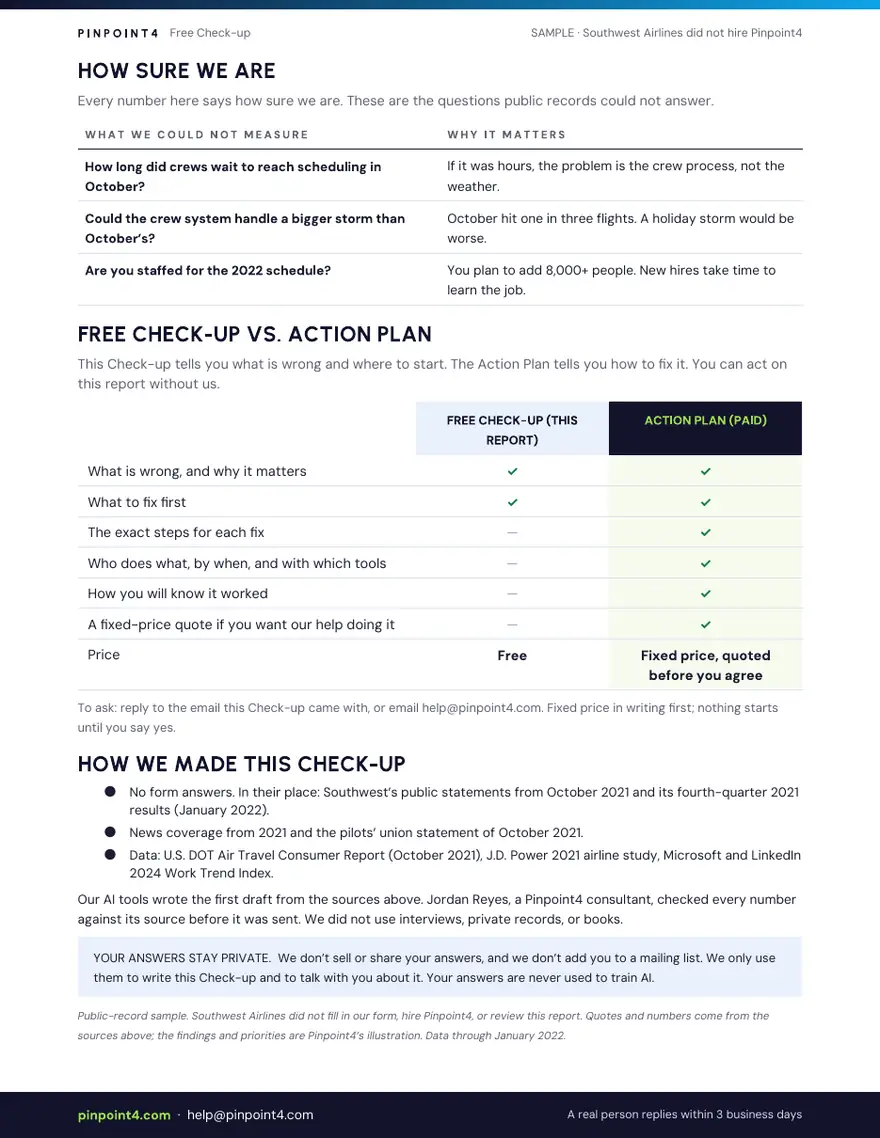
Your free Check-up shows what’s wrong and what to fix first. If you want the how, the Action Plan lays out the steps. Then we set up the AI agent, automate the work with your team, or close the security hole, without getting in the way of your day-to-day.
- Step 03
Measure Savings
We track what changed: hours your team gets back each week, repetitive tasks now done automatically, and fewer mistakes to fix. You see it in plain numbers and dollars, so you know exactly what the AI is worth.
See A Sample Free Check-up
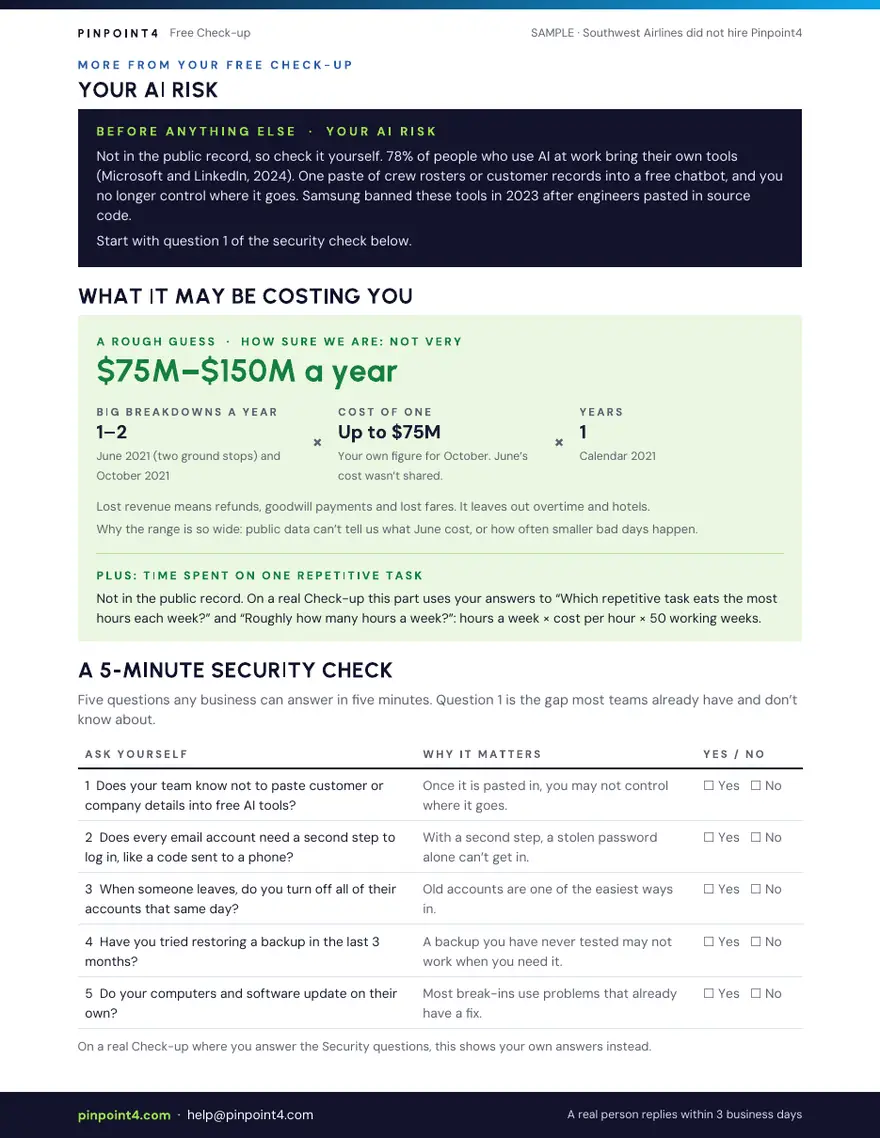
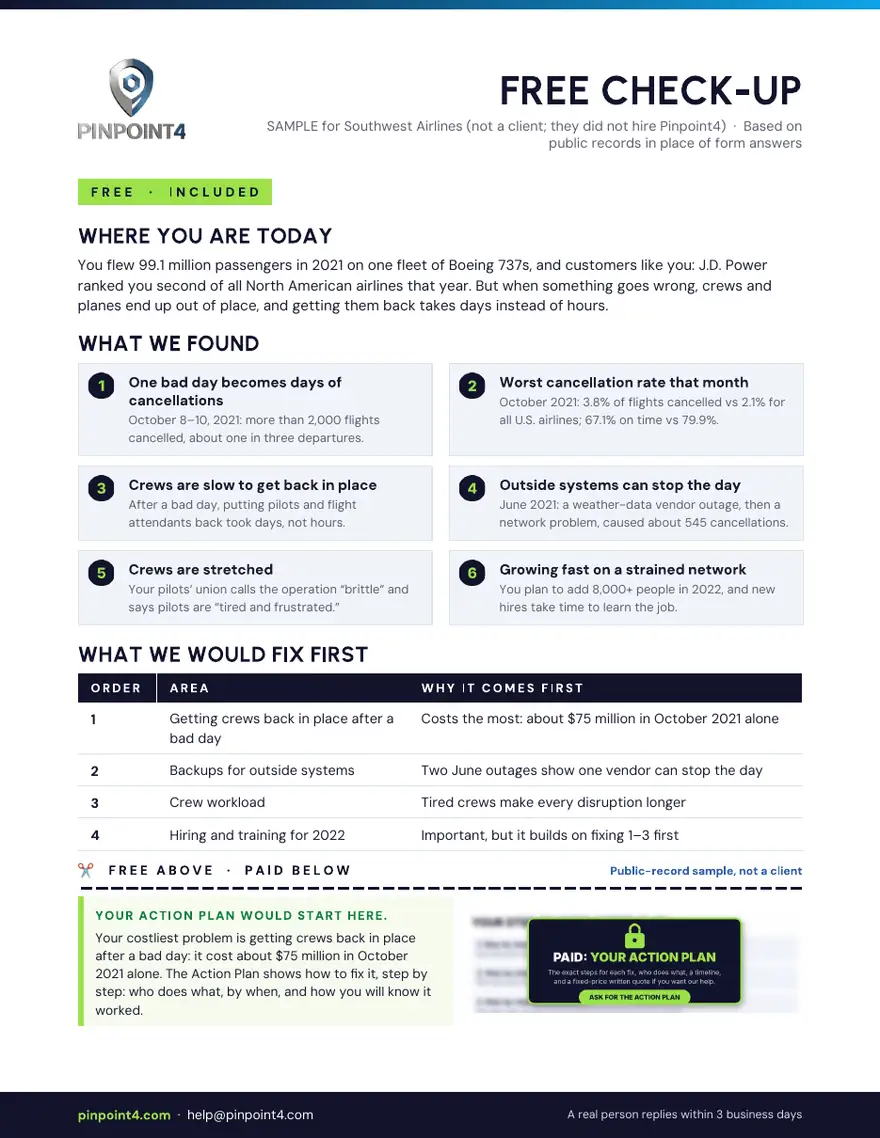
This is what comes back after the form. For this sample we used Southwest Airlines’ public record from late 2021 in place of form answers. Page 1 is the free diagnosis: where they stand today, what we found and what we’d fix first. Then their AI risk, what it may be costing them (with the math shown), a security check and how sure we are. At the bottom of page 1 is a preview of the paid Action Plan: the step-by-step how, which you get only if you ask for it. Southwest is not a client and did not take part. Every report is drafted with AI and checked line by line by a Pinpoint4 consultant before it’s sent.
See the sample report (PDF, 3 pages, opens in a new tab)